How to Select a Git Account for a Repository
Choose the Right Account for Every Repository
If you use more than one GitHub, GitLab, or other supported Git provider account, CommitPlus lets you choose which connected account a repository should use. This is useful when your personal and work repositories live on the same provider, such as github.com, but require different permissions.
The preference is saved for the repository's remote identity. After you choose an account, CommitPlus can use that account consistently for remote operations such as push, pull, and fetch.
How account selection works
CommitPlus matches connected accounts using the Git provider and remote host. If only one connected account matches, it can be selected automatically. When multiple accounts match the same host, you can choose the correct account for that repository instead of relying on a random credential.
This selection does not move or copy your secrets. Access tokens and SSH keys remain in their local credential stores; CommitPlus only remembers the non-secret account preference for the remote.
Step 1: Open Repository Settings
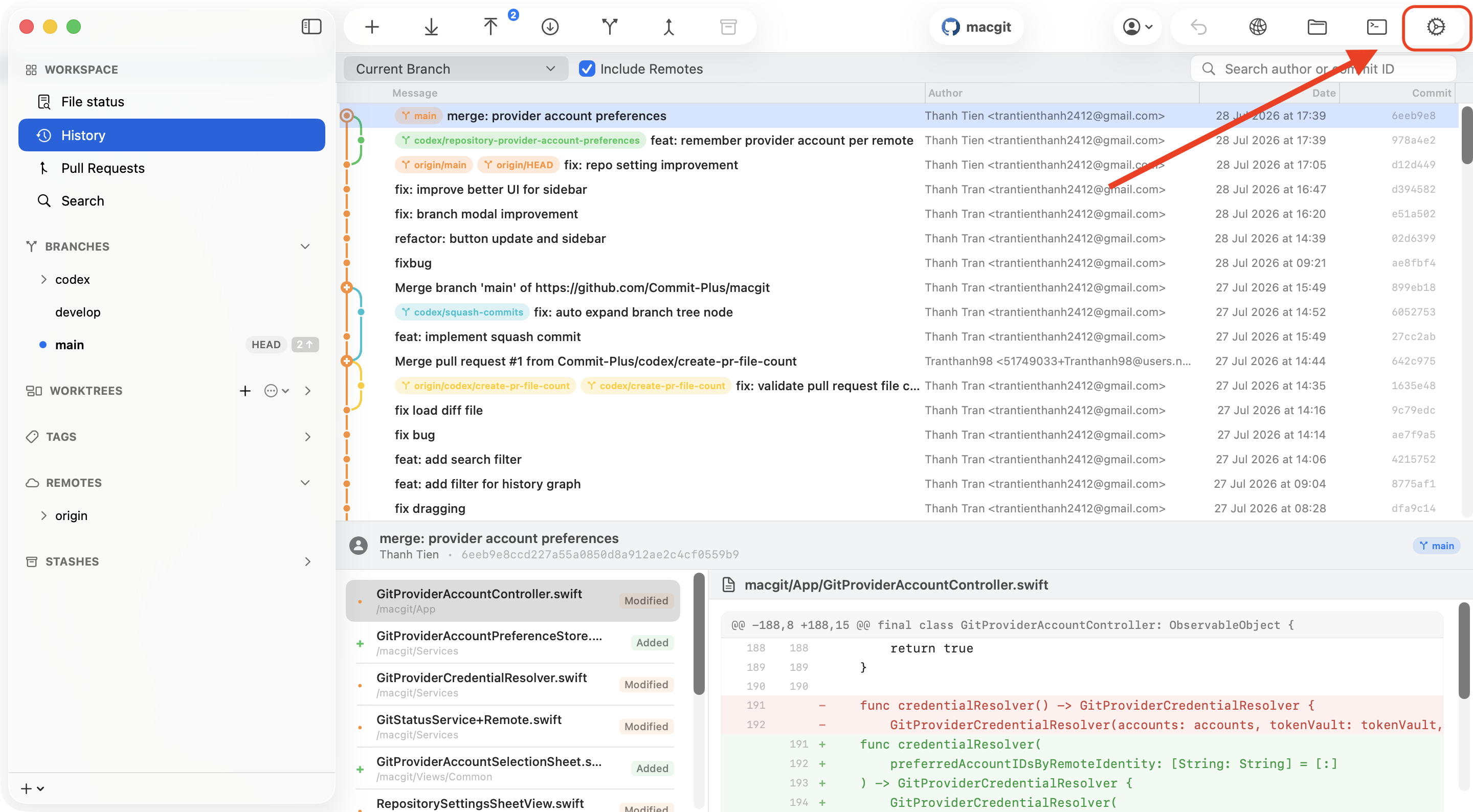
Open the repository in CommitPlus, then click the Settings button in the toolbar. Choose the Advanced tab in Repository Settings.
Step 2: Select the account for the remote
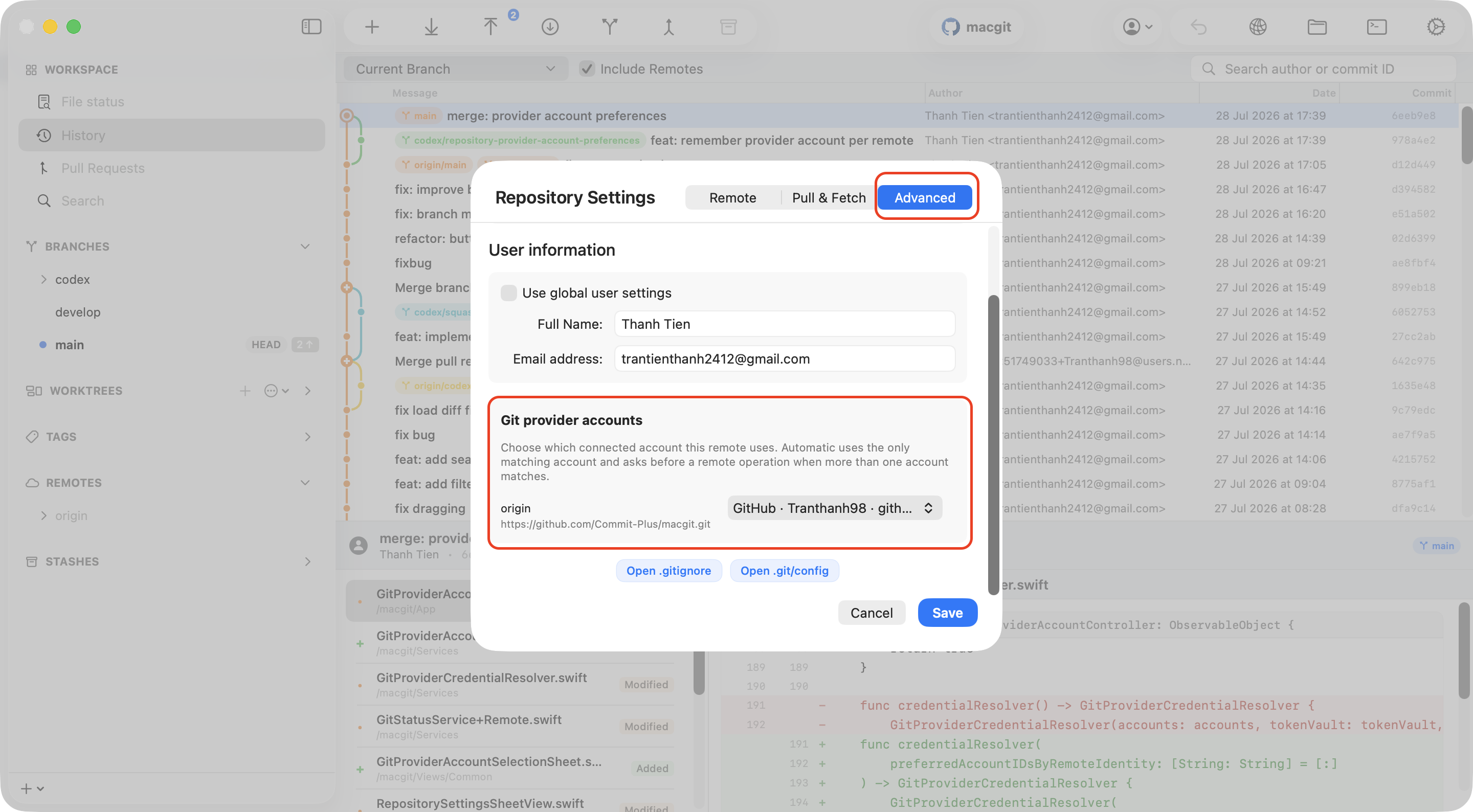
Find the Git provider accounts section. Each remote is listed with the accounts that match its provider and host. Open the account picker next to the remote—for example, origin—and select the GitHub or GitLab account that has access to this repository.
Click Save to keep the selection. The next remote operation will use the account you selected, as long as that account has the required permission on the provider.
What happens during Git operations?
- Commit: This is a local operation. It uses the repository or global Git name and email, not a GitHub or GitLab account.
- Push: CommitPlus uses the selected account's credential and the provider checks whether it has write permission.
- Pull and fetch: CommitPlus uses the selected account to read remote data. The account needs at least read access.
- Multiple matching accounts: If no preference has been saved, CommitPlus can ask you to choose before running the remote operation.
Automatic selection
If you prefer not to pin an account to a remote, leave the picker set to Automatic. CommitPlus will use the only matching account when there is one. If several accounts match and no preference exists, it will ask before the operation so you can make an explicit choice.
When to change the selected account
- You are moving a repository between personal and work access.
- The remote URL stays on the same provider host but belongs to a different organization.
- A push fails because the selected account does not have write permission.
- You have added a new provider account and want this repository to use it.
Once each repository is mapped to the right provider account, you can keep multiple Git identities connected without repeatedly changing credentials or worrying about which account a remote operation will use.
Thanh Tran
Passionate developer and creator of CommitPlus. Focused on building beautiful and performant macOS applications.