Your branch is ready
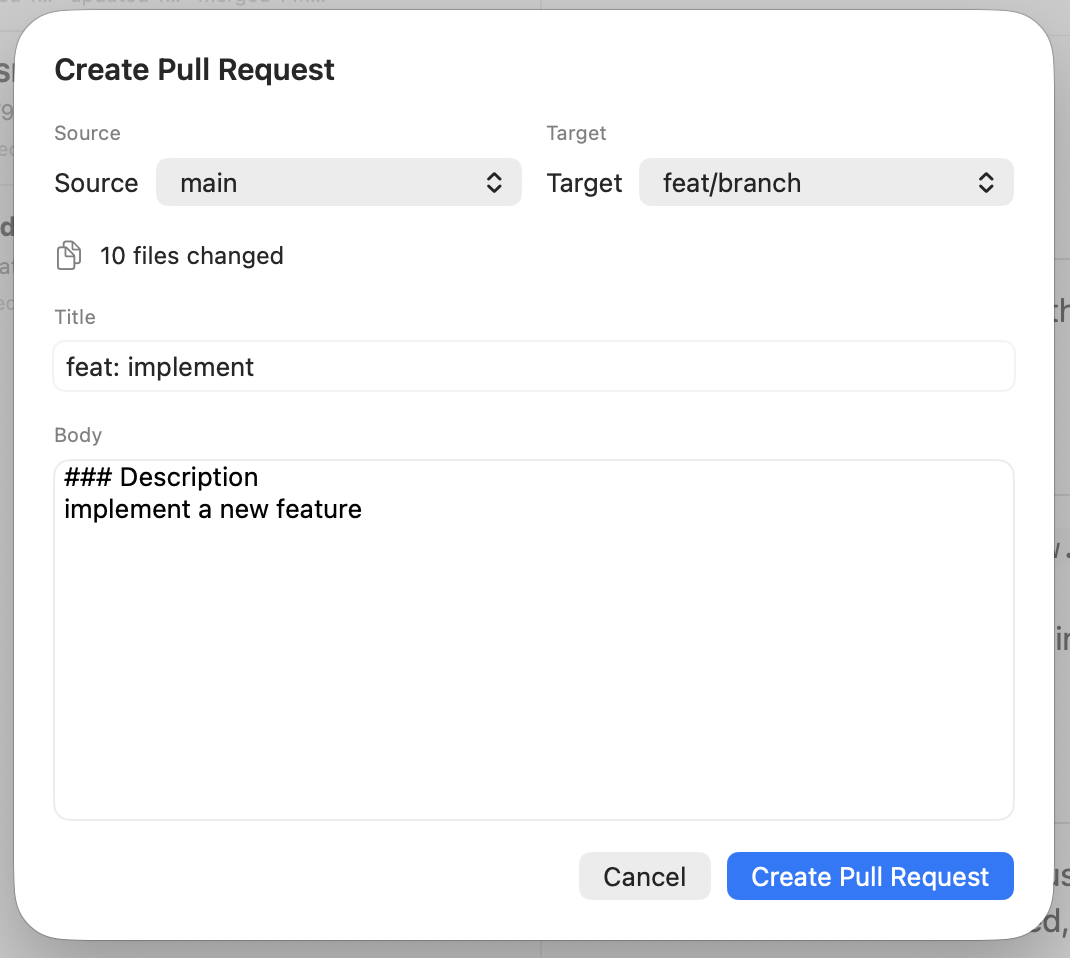
The work is committed and ready to share. Choose the source and target branches, then check the changed-file count to confirm the scope.
You have made the changes, checked the diff, and written the commits. Now it is time to bring your team into the story. Create a pull request, follow the conversation, and explore a review branch from the same native macOS workspace.
From branch to review
A pull request carries more than code. It explains the problem, gives reviewers a place to ask questions, and helps everyone decide what comes next. Commit+ brings those steps into the repository where the work began.
The work is committed and ready to share. Choose the source and target branches, then check the changed-file count to confirm the scope.
Give your team a clear starting point: what changed, why it matters, and what to look for. Add a title and Markdown body right in the repository window.
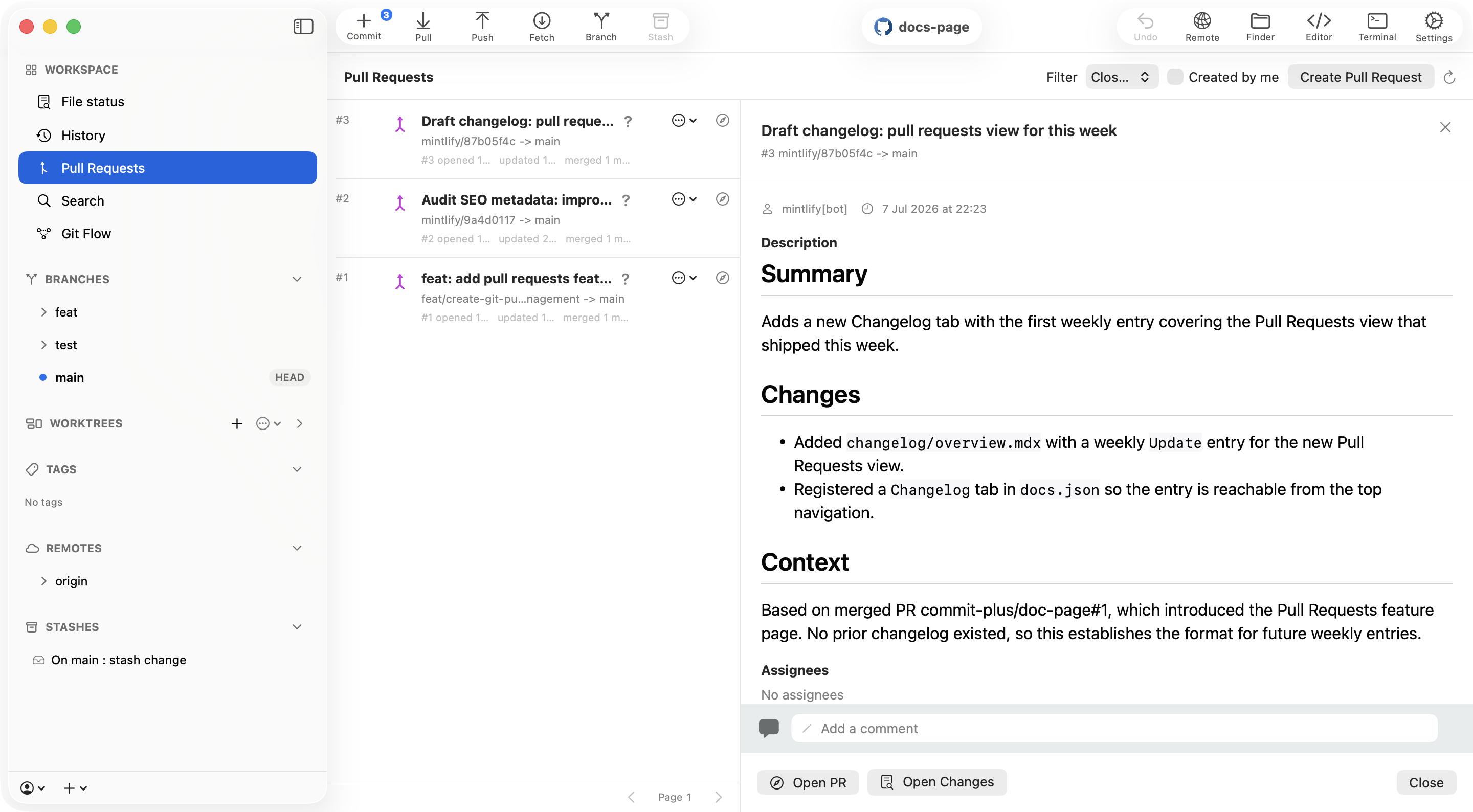
Open a request, read its description, and catch up on comments. Add your own reply while the repository is still close at hand.
When a description is only part of the picture, open the changes or checkout the branch locally. The provider page is also a click away.
Set the scene
Imagine you have just finished a small fix on a feature branch. Before sharing it, choose where the changes should land and check the changed-file count. Then give the request a title that describes the outcome and a Markdown body that explains the reason behind it.
Include the context you would want as a reviewer: the problem being solved, the approach you took, and anything worth checking. When the request opens on your provider, your team has a useful starting point for the review.
Your repository already has a home on GitHub or GitLab. Connect the provider account you use for that project through the app’s local account flow, then bring its requests into your everyday Git workspace.
Later, you return to see how the work is moving along. Filter by open, closed, or merged requests, or focus on the ones you created. Browse more results and refresh the list while keeping the selected request in view.
A teammate leaves a question, or a change needs a closer look. Read the comments and add a reply, then open the changes or checkout the branch locally to explore it. Open the provider page whenever you need to continue there.