feat: Your repository, always in reach.
01 · sidebar
Your repository, always in reach.
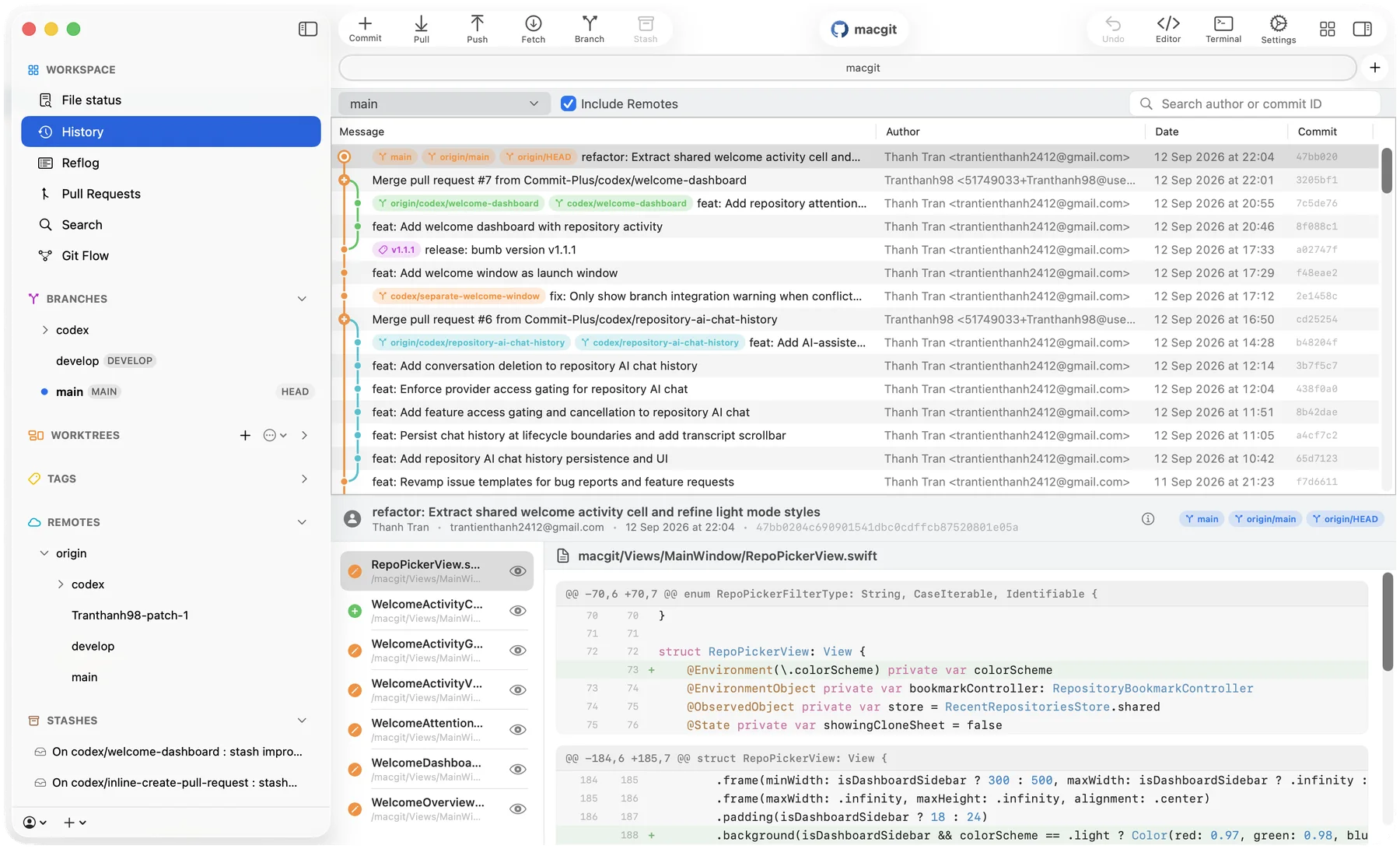
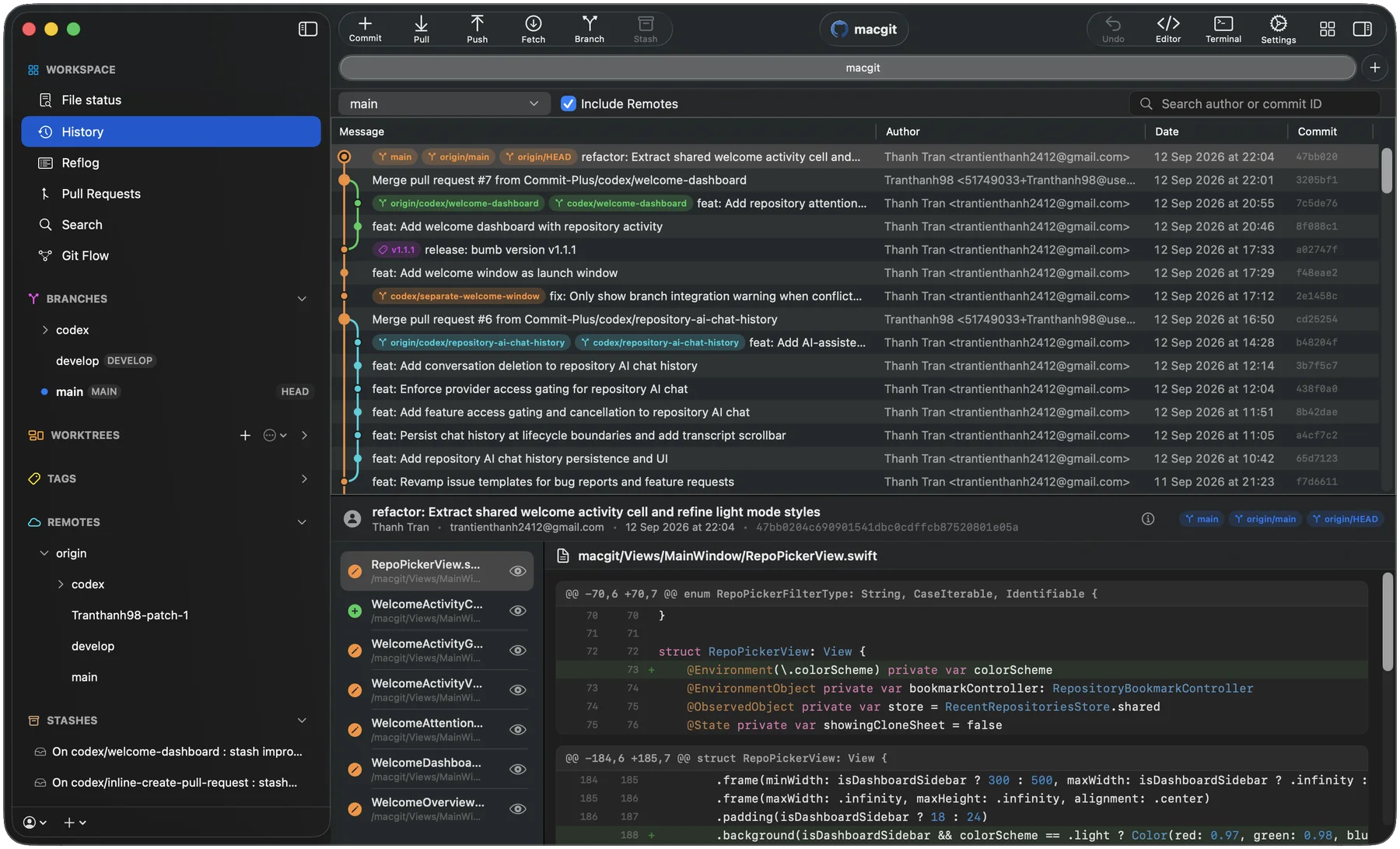
Workspace tools, branches, worktrees, tags, remotes and stashes stay together. Open a worktree, apply a stash or reach for search without leaving the window.
HEAD → main · free & open source · AGPL-3.0
Commit+ is a fast, native Git client for macOS, built with Swift and SwiftUI. Browse any revision, apply only the lines you need, drag branches into place, and undo when something goes wrong.
No account required · 234+ downloads last month · Explore features ↓
01 · sidebar
Workspace tools, branches, worktrees, tags, remotes and stashes stay together. Open a worktree, apply a stash or reach for search without leaving the window.
02 · history
Every branch keeps its own colored lane. Merges, tags and remote refs sit right on the commit they belong to.
03 · diff
Pick a commit and its files open below with hunk headers, line numbers and clear red and green lines.
04 · toolbar
Commit, pull, push, fetch, branch and stash from the toolbar. Undo and redo cover staging, commits, stashes, discards and branch operations.
Scroll the history. Each feature is a commit, and the window beside it shows that feature at work.
Review image changes right in your diff. Drag the overlay slider to reveal before and after, or compare both versions side by side.
Read the blogConnect a Jira Cloud site to see the issues assigned to you. Filter by sprint, status, project and type, then start a branch or Git Flow topic straight from an issue.
Read the docsPick a file, a hunk or single lines from any commit. Commit+ previews the patch and checks for stale state before anything touches your tree.
Read the docsStage files, apply stashes, squash commits, cherry-pick across branches, merge, rebase and publish by moving things where they belong.
Read the docsRecover from staging, commits, stashes, discards and branch operations. Resolve conflicts inline, then continue, skip or abort.
See unread GitHub notifications at a glance from the macOS menu bar, then open the conversation on GitHub when it needs your attention.
Read the blogDownload large files with progress and cancel, create pull requests for GitHub, GitLab and Bitbucket, and manage worktrees and submodules from the sidebar.
Read about Git LFScommit CLIFind commits, files, branches and tags from one field, and open any repository from Terminal.
Read about the CLIBegin a topic in the current repository, or in a fresh worktree so your main checkout stays untouched.
Close a flow with a merge or a rebase strategy.
If a finish stops on a conflict, resolve it and pick up where the flow left off.
Open Commit+ and get straight to your repositories. Built natively with Swift and SwiftUI, there is no web runtime or JVM to warm up first.
Cold start
Under 1s
Nothing heavy to bootstrap
Idle memory
~90 MB
Idle in Activity Monitor
Download
~25 MB
Small app bundle, quick install
Runtime
Native
No JVM, no Chromium
License
AGPLv3
Read the source
Latest
GitHub
Releases stay in the open
Honest, feature-by-feature comparisons with the most popular Git clients for Mac — price, native performance, Undo, and Drag & Drop.
 Tower
Tower Sourcetree
 Fork
Fork GitKraken Desktop
 GitHub Desktop
 Sublime Merge
 SmartGit
 GitButler
Open unlimited public and private repositories and use every core Git feature for free — no account, no subscription, no credit card required. Pro licenses keep it that way, unlocking Git Flow and pull requests on private repositories, plus AI and sync.
Everything you need for serious Git work.
No account required
 Built for your Mac
Download the latest .dmg directly for your Mac. Commit+ is free, open source, and ready in minutes — no account, nothing to sign up for.
Download latest releaseClone the AGPLv3 repository and build the native app directly with Xcode.
git clone https://github.com/Commit-Plus/commit-plus